
Developer //Alive: 02; has launched the public open beta of With Phone, a communication tool designed to keep friends connected inside VRChat even when they are no longer in the same world or instance.
Version 0.9.0 became available through BOOTH on October 12, 2026. With Phone is installed as part of an avatar and works alongside a Windows bridge application, allowing users to exchange messages, make voice calls, synchronize the With Phone display, and use additional camera and utility features without constantly switching to an external messenger.
Quick Summary
- Name: With Phone
- Developer / project: //Alive: 02;
- Type: VRChat communication tool
- Status: public open beta
- Beta version: 0.9.0
- Public beta date: October 12, 2026
- Distribution: BOOTH
- Public beta price: free
- Beta 0.9.0 package size: approximately 42.8 MB
- Additional BOOTH option: beta + server support
- Server support option: 500 yen
- Primary platform: VRChat
- OS: Windows 10 / 11
- VRChat PC: supported
- VR mode: supported
- Desktop mode: supported
- Quest standalone: not supported
- Desktop controls: Pen Mode with mouse
- Unity: Unity 2022.3
- Avatar project: VRChat Creator Companion
- Avatar integration: Modular Avatar
- Modular Avatar: not bundled
- VRChat technology: OSC
- VRChat logs: used in a limited manner by the bridge
- Bridge application: WithPhone.exe
- Avatar package: WithPhone.unitypackage
- Bridge purpose: connects the avatar through OSC to the With Phone service
- VRChat OSC receive port: 9000
- VRChat OSC send port: 9001
- Login: Discord
- Login: Google
- Synced avatar parameters: approximately 72 bits
- VRChat synced parameter limit: 256 bits
- Feature: messaging
- Feature: voice calling
- Feature: With Phone screen synchronization
- Feature: cat camera
- Feature: friend exchange
- Feature: white cat assistant
- Feature: alarm
- Cross-world messages: supported
- Cross-world voice calls: supported
- Text messages: end-to-end encrypted according to the developer
- Operator access: message contents are stated to be unreadable by the operator
- Screen synchronization: must be initiated by the user
- Screen sharing target: selected friend
- Screen sharing target: With Phone users in the same instance
- Cat camera: captures images from the assistant cat's perspective
- Photo storage: user's PC
- Friend exchange: possible by bringing two With Phones together
- Friend code: supported
- White cat assistant: appears when With Phone is powered on
- Alarm: can sound while inside VRChat
- Browser required for calls: Microsoft Edge or Google Chrome
- Telecommunications business notification: listed as submitted
- Acceptance date: October 9, 2026
- Authority listed: Kinki General Communications Bureau
- Developer status: independent service
- VRChat Inc. affiliation: none
- WithPhone.exe code signing: not yet implemented for the public beta
- Windows/antivirus warning: may appear according to the developer
- Commercial version: planned
- Final product model: BOOTH mentions a paid license
- Automatic charging of beta users: no
- Official X follow-up: beta features are planned to remain free after the product release except voice calling
- Final voice-call/license pricing: not yet detailed
- Current status: open beta available
With Phone Inside VRChat
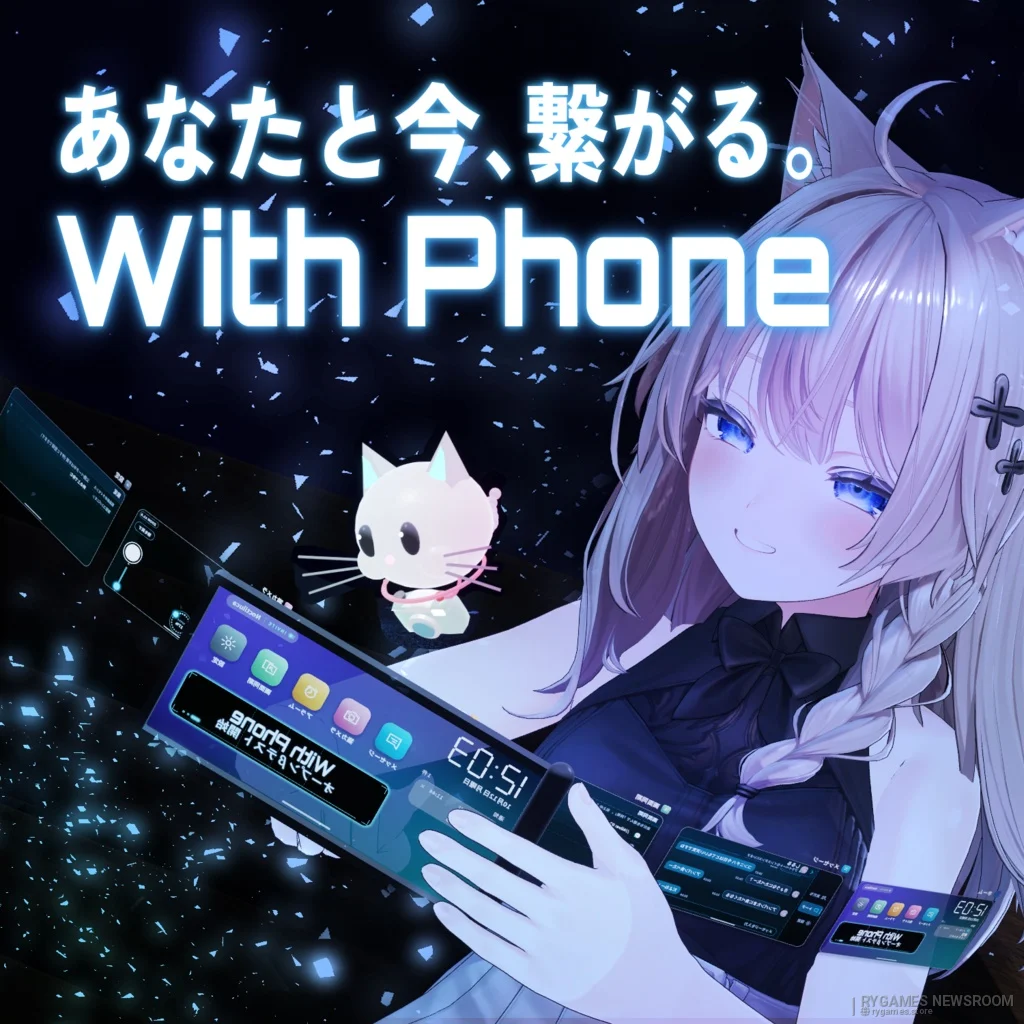
Messaging and Calling Are Not Tied to One World
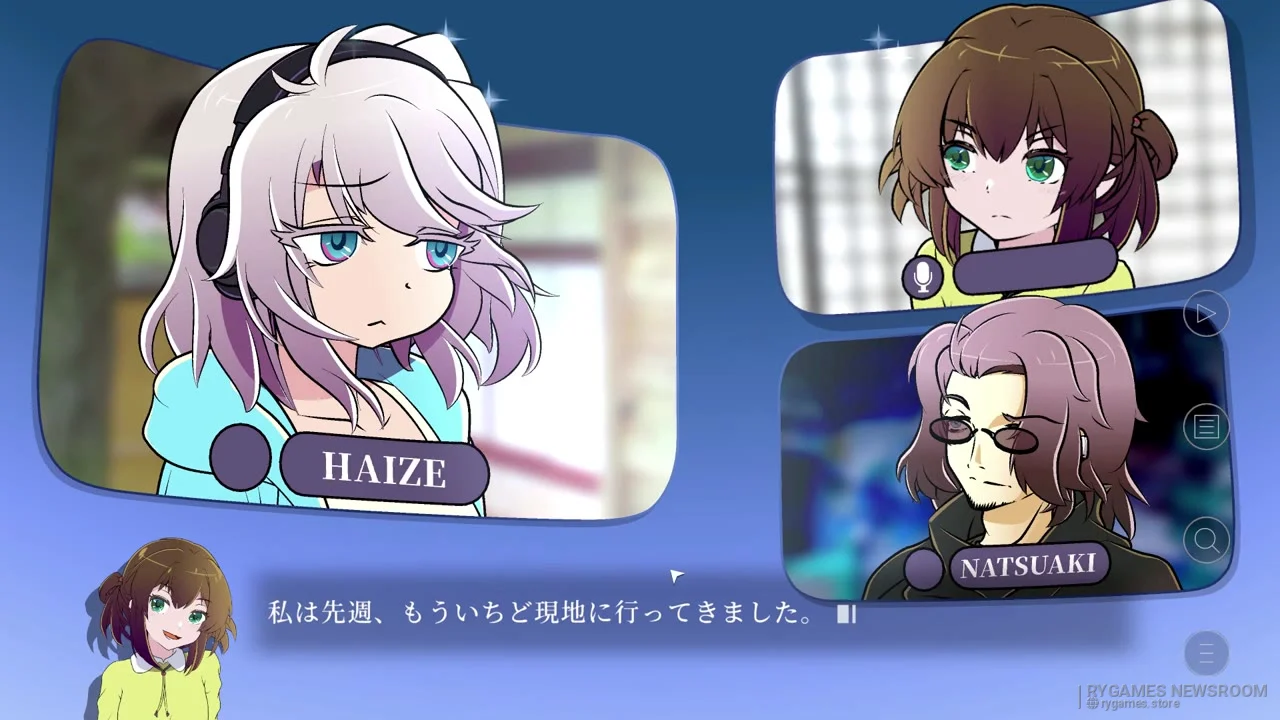
With Phone's central idea is to keep communication available after friends move into different worlds or instances. Messages can be written through the tool's keyboard, while incoming messages trigger a light effect, notification sound, and on-screen banner.
Voice calls can also be started from a friend's profile, allowing conversations to continue even when both players are no longer sharing the same VRChat space.
The Avatar and Windows Bridge Work Together
With Phone is not a standalone avatar prefab that handles everything internally. The package combines an avatar component with WithPhone.exe, a Windows bridge that connects VRChat to the service through OSC.
VRChat officially supports OSC for communication between avatars and external applications. With Phone uses that path because VRChat avatars cannot directly communicate with internet services in the same way a normal Windows application can.
Installation uses Unity 2022.3 and Modular Avatar. After the prefab is added and the avatar uploaded, users run the bridge, enable OSC, and summon With Phone through the Action Menu.
Screen Sync, Cat Camera, and Alarm Are Included
Beyond messages and calls, the public beta already includes several utility features.
Users can synchronize the With Phone display with a selected friend or With Phone users in the same instance. Sharing begins only after the owner explicitly starts it.
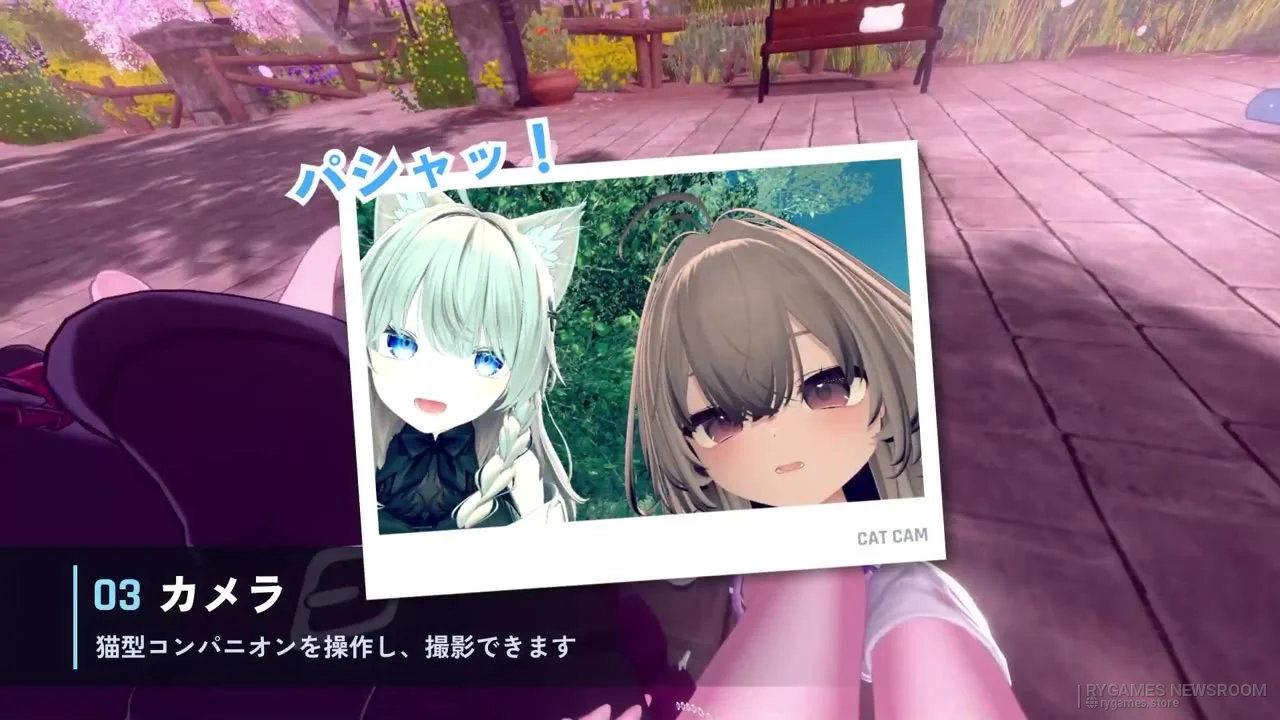
The cat camera gives the white cat assistant a camera that can move around the world and capture images from another perspective. According to the product page, those photos remain stored locally on the user's PC.
Friend exchange can add contacts by bringing two With Phones together, while an alarm can be configured to ring directly during a VRChat session.
Privacy and Beta Limitations Are Explained in Detail
//Alive: 02; says message content uses end-to-end encryption, preventing the service operator from reading the plaintext body. The bridge is also described as reading only specific portions of VRChat's logs rather than uploading complete log files.
Instance identifiers are hashed before being sent to the server, while a world name is sent only when the user enables the relevant sharing option.
Because WithPhone.exe is not currently code-signed, Windows or antivirus software may display a warning. The developer publishes a SHA-256 fingerprint for build 0.9.0 and states that the official distribution comes through its BOOTH page.


Why This Matters
1) Communication stays inside the VRChat experience
Users do not necessarily need to open another messenger whenever a friend leaves their current world.
2) The avatar itself becomes the interface
Modular Avatar and OSC let the communication system appear as a device physically carried by the avatar.
3) The developer documents its privacy behavior
Log access, local photo storage, message encryption, and the Windows bridge's responsibilities are described publicly.
With Phone and VRChat Information
For now, the additional important information currently known includes:
- With Phone is developed by //Alive: 02;
- public beta 0.9.0 launched October 12, 2026
- official distribution is handled through BOOTH
- the beta 0.9.0 archive is approximately 42.8 MB
- the standard public beta is free
- a 500-yen option is available for users who want to support server costs
- the 500-yen option is not required for the standard beta
- With Phone is designed for the PC version of VRChat
- Windows 10 and Windows 11 are listed
- both VR and desktop modes are supported
- Quest standalone is not supported
- desktop users can operate it through Pen Mode with a mouse
- avatar installation uses Unity 2022.3
- the avatar project is expected to use VRChat Creator Companion
- Modular Avatar is required
- Modular Avatar is not bundled
- the package includes WithPhone.unitypackage
- it also includes the With Phone bridge
- the bridge executable is WithPhone.exe
- the VRChat avatar communicates with the bridge through OSC
- the bridge connects the tool to the With Phone server
- VRChat receives OSC on port 9000 by default
- VRChat sends OSC through port 9001 by default
- OSC must be enabled
- the developer recommends using Reset Config during setup
- initial login occurs through a browser
- Discord authentication is supported
- Google authentication is supported
- voice calls require Microsoft Edge or Google Chrome
- With Phone uses approximately 72 bits of synced avatar parameters
- VRChat supports up to 256 bits of custom synced parameters
- messaging is available in the beta
- messages can reach friends in different worlds
- incoming messages display a notification banner
- the device can also play a notification sound
- voice calling is included in the beta
- calls can be started from a friend's profile
- calls can continue across different worlds
- With Phone screen synchronization is available
- the feature shares the With Phone display rather than automatically sharing the entire desktop
- the owner decides when synchronization starts
- the target can be a selected friend
- it can also be With Phone users in the same instance
- a cat camera is included
- the white cat assistant carries the camera through the world
- cat-camera photos are stored locally on the PC
- friend exchange is available
- users can bring two With Phones together to add a contact
- friend codes are also supported
- the white cat assistant appears when the device is powered on
- an alarm feature is included
- message bodies are stated to use end-to-end encryption
- the developer says operators cannot read message contents in plaintext
- the bridge reads limited portions of VRChat output logs
- the information is used for world- and instance-related features
- VR/desktop state is also read
- instance identifiers are hashed before being sent to the server
- world names are sent only when the relevant option is enabled
- the bridge is stated not to modify VRChat logs
- complete logs are not uploaded to the server
- configuration, login information, and encryption keys are stored under `%APPDATA%\VRCPhone`
- typed kana may be sent to Google's conversion service for kanji conversion
- Pen Mode receives F-key and mouse input only while that mode is active
- the cat camera captures the VRChat screen only when the shutter is pressed
- voice calling uses Edge or Chrome in the background
- the developer says the local calling component does not accept external connections
- WithPhone.exe does not request administrator privileges
- it is not configured to automatically launch with Windows
- the executable is currently unsigned
- Windows SmartScreen or antivirus warnings may therefore appear
- a SHA-256 fingerprint for build 0.9.0 is published on BOOTH
- the developer identifies its BOOTH page as the official distribution source
- a telecommunications business notification is listed as accepted by the Kinki General Communications Bureau
- the listed acceptance date is October 9, 2026
- the service is independent and not affiliated with VRChat Inc.
- beta features, data, and server availability may change without notice
- BOOTH states that a paid product license is planned after the beta
- beta users will not be automatically charged
- a follow-up from the official account shown with the announcement says beta features are planned to remain free after the product launch except for voice calling
- the final pricing structure has not yet been fully detailed
- information and downloads are available through the Official BOOTH Page
- service policies are available through the With Phone Official Website
- developer updates are available through Official X
- OSC documentation is available through VRChat OSC Documentation
- Modular Avatar installation information is available through Modular Avatar Documentation
Closing
With Phone attempts to move functionality normally handled by an external messenger directly into the VRChat experience, complete with a device that appears as part of the user's avatar.
Public beta 0.9.0 is now available for free, but the service remains under testing. The final product's pricing structure, including how voice calling will be handled after beta, still awaits further clarification from //Alive: 02;.
- //Alive: 02; / X — Official Developer Account for With Phone Open Beta Announcement and Follow-Up Updates
- //Alive: 02; / BOOTH — Official With Phone Open Beta 0.9.0 Product Page, Features, Requirements, Privacy Notes, and Installation Guide
- With Phone — Official Terms, Privacy Policy, and Safety Information
- VRChat — Official OSC Overview and Default Local Ports
- VRChat — Official OSC Avatar Parameters Documentation
- Modular Avatar — Official Documentation for VRChat Avatar Component Installation